
12 Best Customer Research Tools in 2026 (Ranked by Use Case)

Quick answer: The best tools for extracting actionable consumer insights in 2026 include Usercall, Typeform, Qualtrics, UserTesting, and Hotjar—each excelling at different stages of research. Choose based on your need for real-time feedback, scalability, analysis depth, and integration with your existing stack.
How to Choose a Consumer Insights Platform
Choose based on your workflow, not the longest feature list. If you need depth, look for qualitative tools; if you need validation, use surveys; if you need behavioral signals, use analytics or testing tools. The best platform is the one that reduces manual work while helping your team make decisions faster.
Top Consumer Insights Tools Compared (2026)
| Tool | Insight Type | AI Extraction Capability | Best For |
|---|---|---|---|
| Usercall | Qualitative interview insights | AI moderates and extracts themes automatically | Teams running frequent interview research |
| Dovetail | Research repository insights | AI tags and clusters across stored research | Teams managing large research libraries |
| Qualtrics | Survey and feedback insights | AI text analytics and sentiment scoring | Enterprise feedback programs |
| Hotjar | Behavioral insights | AI session summaries and funnel analysis | UX and conversion optimization |
| Mixpanel | Product usage insights | AI anomaly detection and funnel analysis | Product analytics teams |
| Fullstory | Digital experience insights | AI session replay and rage-click detection | DX and support teams |
| Sprig | In-product research insights | AI survey synthesis and session analysis | Product teams |
| UserTesting | Usability test insights | AI highlight reels and sentiment | UX research teams |
Introduction: Why Modern Teams Are Rethinking Customer Research
Most teams claim to “know their customers.” Then adoption stalls, retention slips, or a new landing page underperforms and suddenly it’s obvious: the team was operating on assumptions.
The root problem is not effort. It’s tooling and workflow.
In 2026, spreadsheets, scattered surveys, and siloed interview notes are no longer enough. The best teams treat customer understanding as an always-on system, where feedback flows continuously and insights are extracted quickly enough to influence real decisions.
Customer research software is what makes that possible. Whether you’re a UX researcher uncovering friction points, a marketer refining messaging, or a founder validating what to build next, the right tools help you learn faster, go deeper, and share insights with less effort.
This guide covers the best customer research software tools in 2026 across:
- AI-powered qualitative research
- Surveys and quantitative research
- Behavioral analytics and testing
- Repositories and insight operations
You’ll learn what each tool is best for, what makes it unique, and how to choose a stack that fits how your team actually works.
TL;DR: Which Customer Research Tool Should You Use?
- Fast qualitative interviews & insight analysis: UserCall
- Central research repository: Dovetail
- On-site behavior & feedback: Hotjar
- Enterprise surveys & tracking: Qualtrics
- Rapid UX testing: Maze
- Live moderated interviews: Lookback
If you want depth and speed without manual qualitative insight analysis, AI-native tools now outperform traditional workflows for most teams.
What Is Customer Research Software?
Customer research software helps teams collect, organize, analyze, and activate insights from users or target customers. It bridges the gap between raw feedback (what people say and do) and actionable strategy (what you decide next).
In 2026, most tools fall into three categories:
- Qualitative research tools: interviews, open-ended feedback, motivations, and decision drivers
- Quantitative tools: surveys, segmentation, validation, trend measurement
- Hybrid and AI-native platforms: combine collection + analysis across text, voice, and feedback streams
Why You Need It (Even if You’re Already “Doing Research”)
Modern research software solves the problems that manual methods create:
- Automate data collection: run continuous feedback loops without scheduling calls
- Uncover hidden patterns: auto-theme open-ended feedback and detect sentiment shifts
- Save analysis time: stop spending days tagging and cleaning spreadsheets
- Increase participation: voice, video, and micro-surveys reduce friction for users
- Keep research always-on: insight doesn’t stop when the survey closes
In 2026, the difference between “we research” and “we understand customers” is usually the workflow.
AI-native vs traditional customer research tools: what changed in 2026
Customer research tools now fall into two clear categories.
Traditional tools assume researchers will schedule interviews, transcribe sessions, manually code responses, and synthesize insights by hand. They offer depth and control, but they’re slow and labor-intensive.
AI-native tools assume interviews can run asynchronously, transcription and first-pass coding happen automatically, and researchers spend time interpreting insights instead of creating them.
For many teams, this shift cuts analysis time by 60–80 percent, especially for continuous discovery, voice-of-customer programs, and early product validation.
This doesn’t eliminate the need for human judgment. It changes where researchers spend their time.
Top 12 Customer Research Software Tools (2026)
Below are the leading tools across qualitative, quantitative, and hybrid research. They’re organized by what they do best, not by who has the loudest brand.
1. Usercall – Best for AI Moderated Interviews & Qualitative Data Analysis
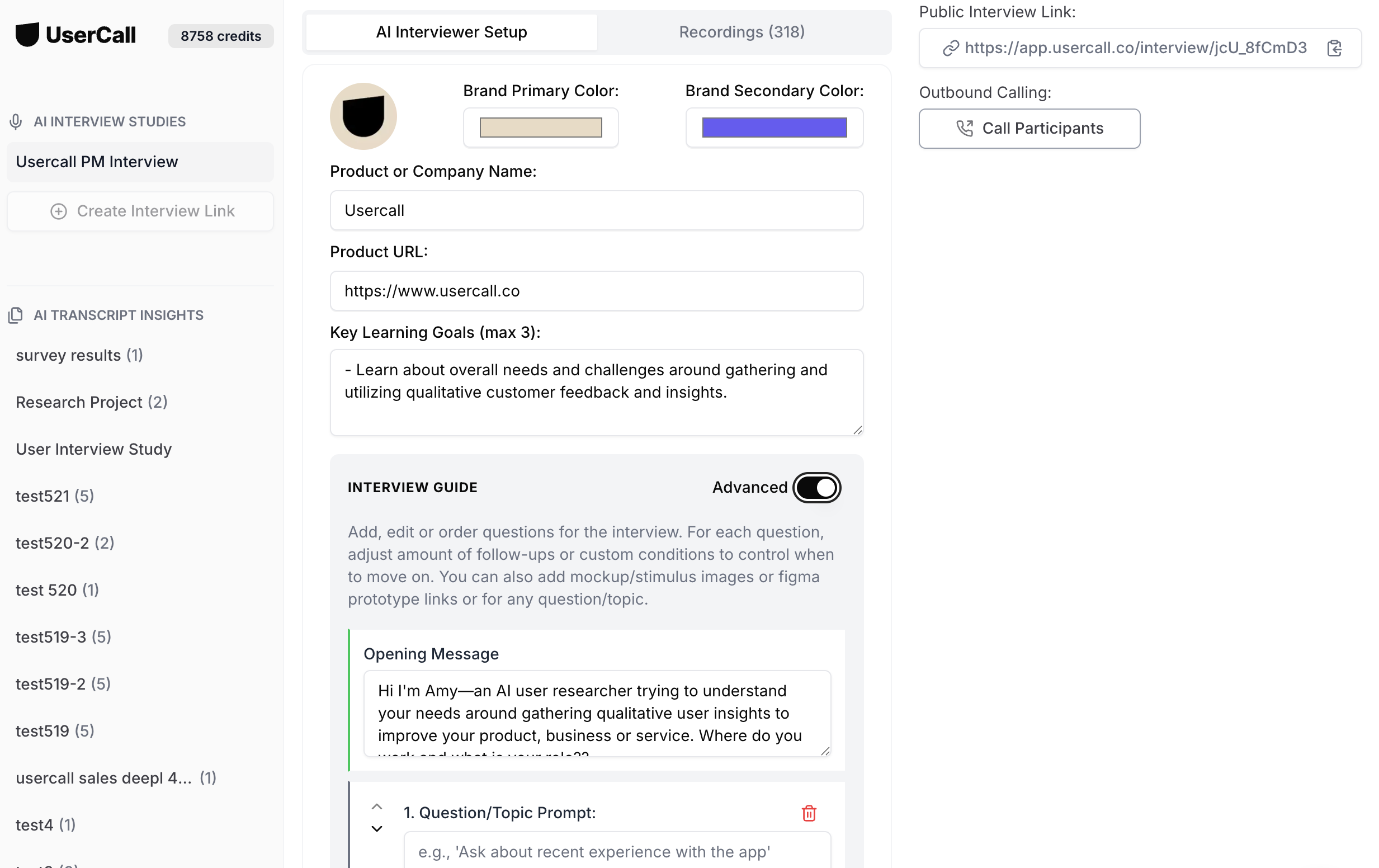
UserCall is built for teams that need qualitative depth without the overhead of scheduling, transcription, or manual coding.
It runs AI-moderated voice interviews asynchronously, then automatically generates transcripts, themes, sentiment, and insight summaries you can review and refine.
Why teams choose UserCall:
- AI moderators ask natural follow-up questions instead of static survey prompts.
- Themes, quotes, and summaries are generated automatically.
- Full controls for researchers so AI data collection and analysis is nuanced and optimized for research goals
- Works across time zones and languages with no coordination overhead.
- Designed for always-on discovery, not one-off studies.
Limitations:
Less suited for strict academic coding protocols that require fully manual control.
Best for:
UX researchers, product teams, growth teams, and insight teams that need fast, repeatable qualitative insight at scale.
2. Dovetail – Best for Research Repositories
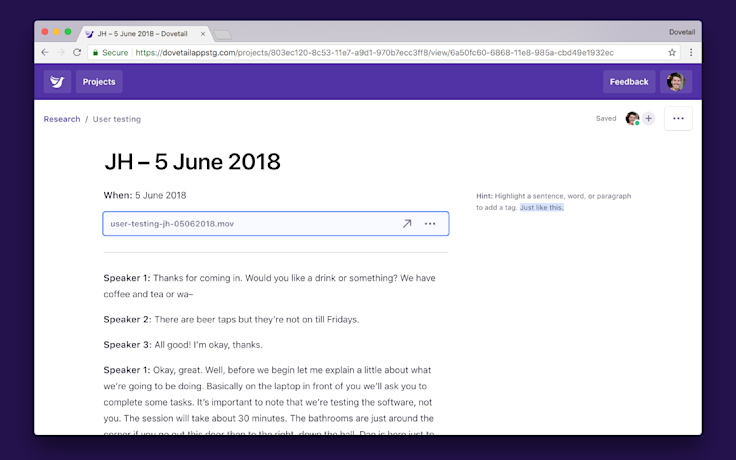
Dovetail centralizes interview notes, clips, and tags in one collaborative workspace. Its strength is organization—especially for large teams managing hundreds of research assets.
Why it stands out:
- Great tagging and theme visualization.
- Collaborative repository for transcripts, videos, and insights.
- Integrations with Notion, Miro, and Slack.
Best for: In-house research teams that want to manually analyze lots of qualitative interviews.
3. Hotjar – Best for Behavioral & On-Site Feedback
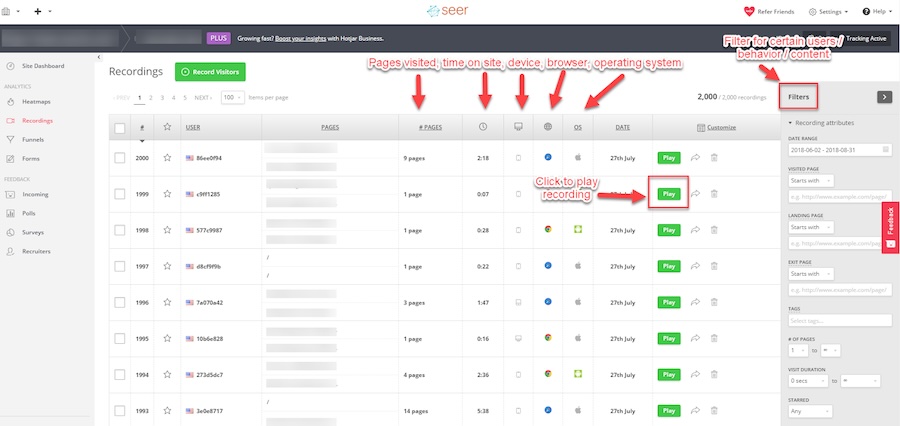
Hotjar combines heatmaps, session recordings, and on-page surveys to help you understand what users do and why they do it on your site.
Why it stands out:
- Heatmaps visualize clicks, scrolls, and attention zones.
- Quick polls and feedback widgets capture real-time reactions.
- Connects behavior with intent—ideal for UX optimization.
Best for: Product managers and growth marketers improving UX and conversion funnels.
4. Qualtrics – Best Enterprise Surveys
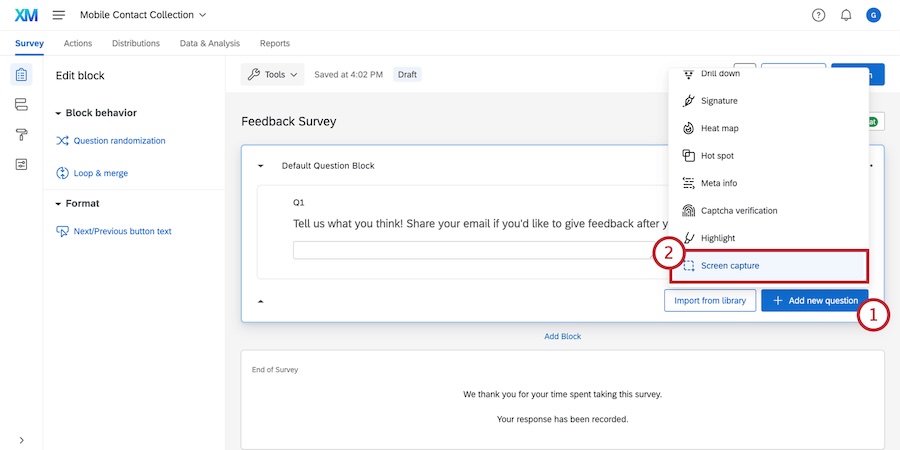
A leader in the experience management space, Qualtrics offers robust survey, analytics, and predictive intelligence tools—ideal for enterprise-scale insights.
Why it stands out:
- Advanced logic and segmentation for surveys.
- Predictive AI models to forecast satisfaction and churn.
- Enterprise-grade data compliance and integrations.
Best for: Large organizations with complex, multi-segment research needs.
5. Typeform – Best for Engaging Surveys
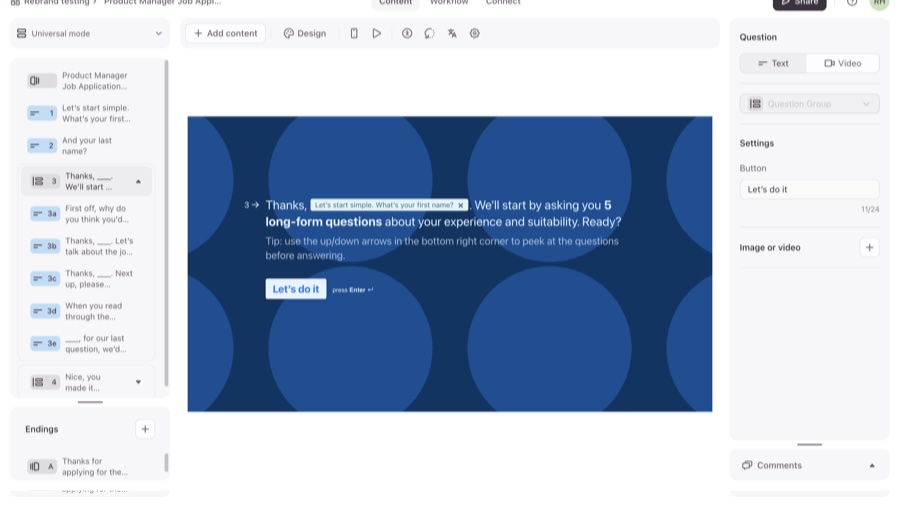
Typeform reimagines surveys with conversational flow and clean design that feels human. It’s perfect for collecting both quantitative and open-ended feedback.
Why it stands out:
- User-friendly and visually appealing.
- Conditional logic makes responses feel personalized.
- Integrates easily with CRMs and analytics tools.
Best for: Marketing and product teams running customer satisfaction or onboarding surveys.
6. Airtable – Best for Organizing Research Data
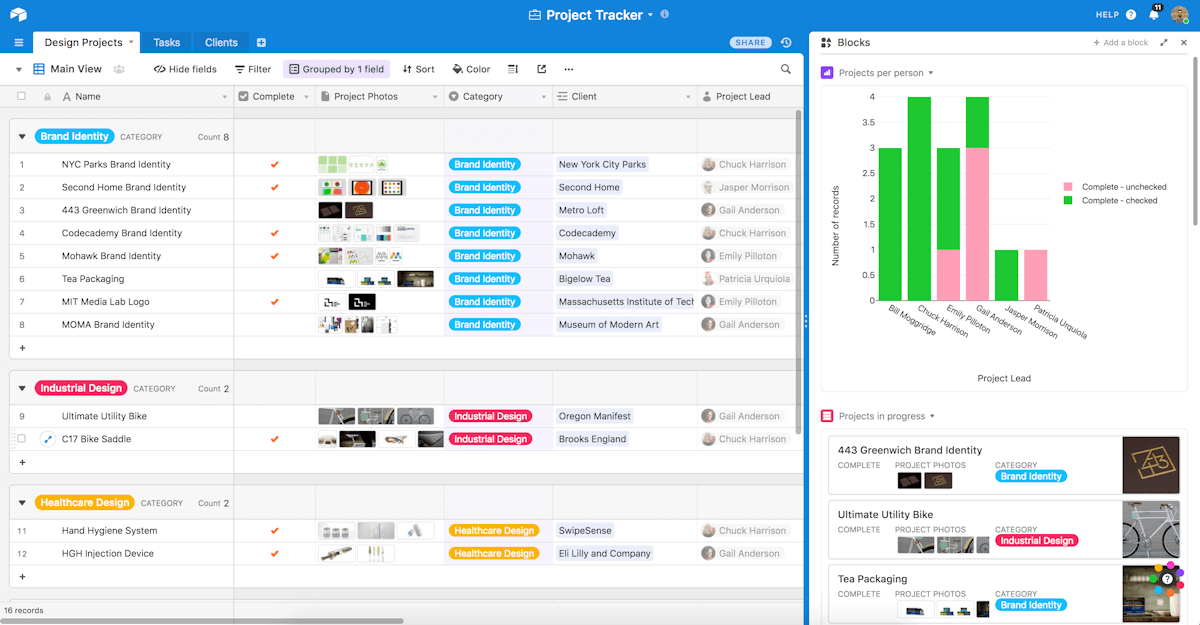
Think of Airtable as a hybrid between a spreadsheet and a database. Many research teams use it to organize user data, tag responses, and collaborate on insights.
Why it stands out:
- Flexible schema for storing interview notes, feedback, and user info.
- Powerful filtering and view options (kanban, grid, gallery).
- Easy automation and linking between projects.
Best for: Teams that want a customizable, visual database for research ops.
7. Maze – Best for Rapid Prototype & Concept Testing
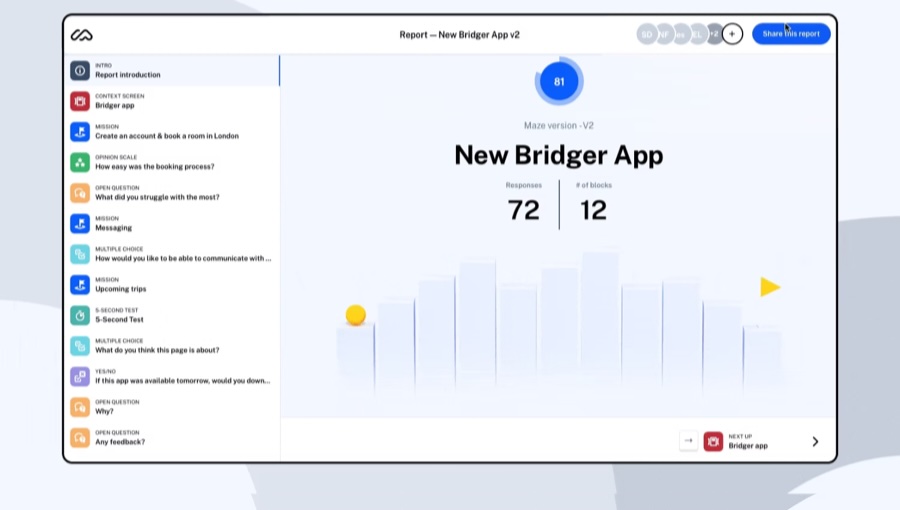
Maze turns design prototypes into instant user tests with actionable analytics.
Why it stands out:
- Test Figma or Adobe XD designs with real users.
- Collect both qualitative comments and quantitative behavior data.
- Get heatmaps and task success rates automatically.
Best for: UX designers and product teams running fast iterative tests.
8. Lookback – Best for Live User Interviews & Observations
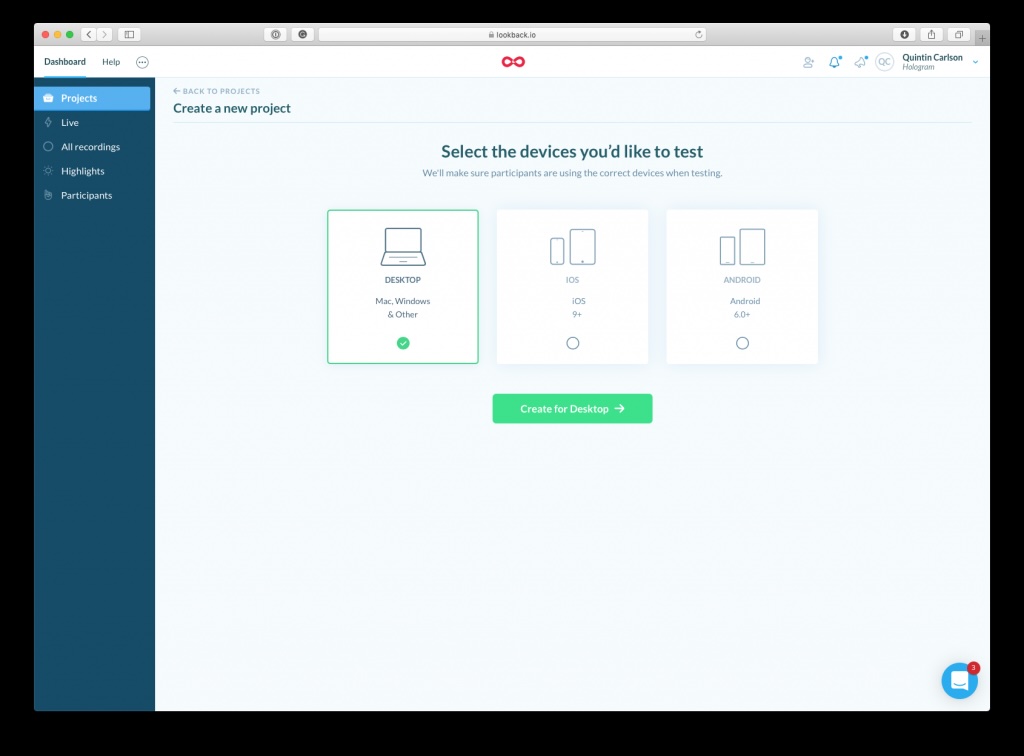
Lookback enables researchers to observe participants using products in real time, with features like session recording, note tagging, and team collaboration.
Why it stands out:
- Remote moderated and unmoderated studies.
- Timestamped notes for easier analysis.
- Great for usability testing and live feedback.
Best for: UX teams conducting moderated interviews and usability sessions.
9. SurveyMonkey – Best for Broad Audience Quant Research
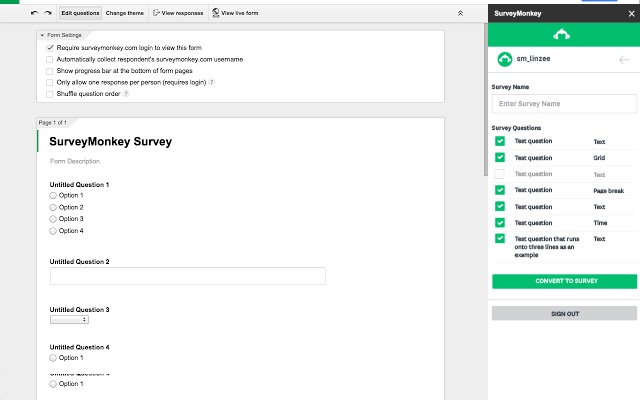
A trusted classic for surveys, SurveyMonkey offers broad reach, solid analytics, and easy templates for all types of customer research.
Why it stands out:
- Large respondent panel access.
- Pre-built templates for NPS, satisfaction, and brand tracking.
- Simple reporting for non-researchers.
Best for: Teams running large-scale customer sentiment or brand awareness surveys.
10. Grain – Best for Turning Calls into Insights
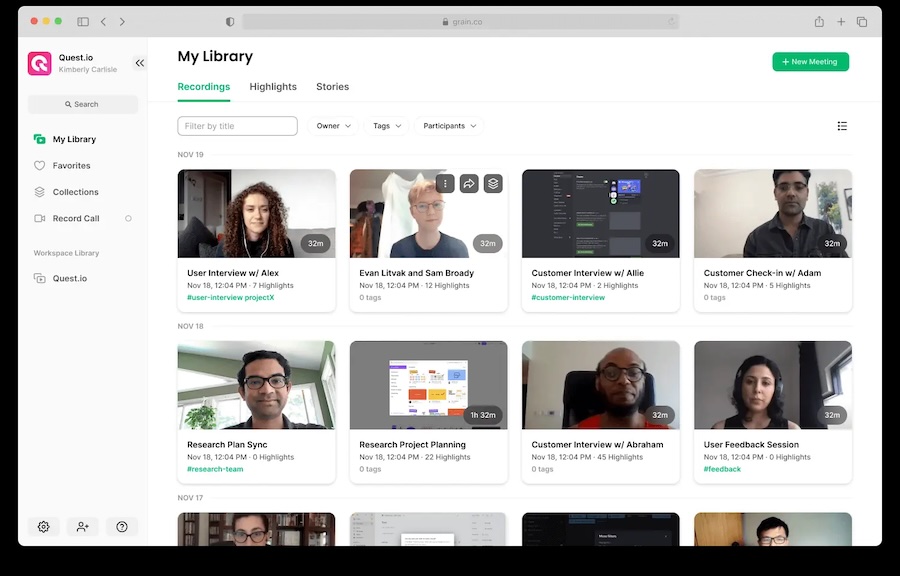
Grain captures Zoom, Teams, and Meet calls and automatically summarizes key moments, making it easy to build highlight reels or share customer quotes.
Why it stands out:
- AI note-taking and summarization.
- Tag and clip highlights instantly.
- Integrates with HubSpot, Slack, and Notion.
Best for: Sales, success, or product teams reviewing customer conversations.
11. Delve – Best for Hand Coding and Thematic Analysis
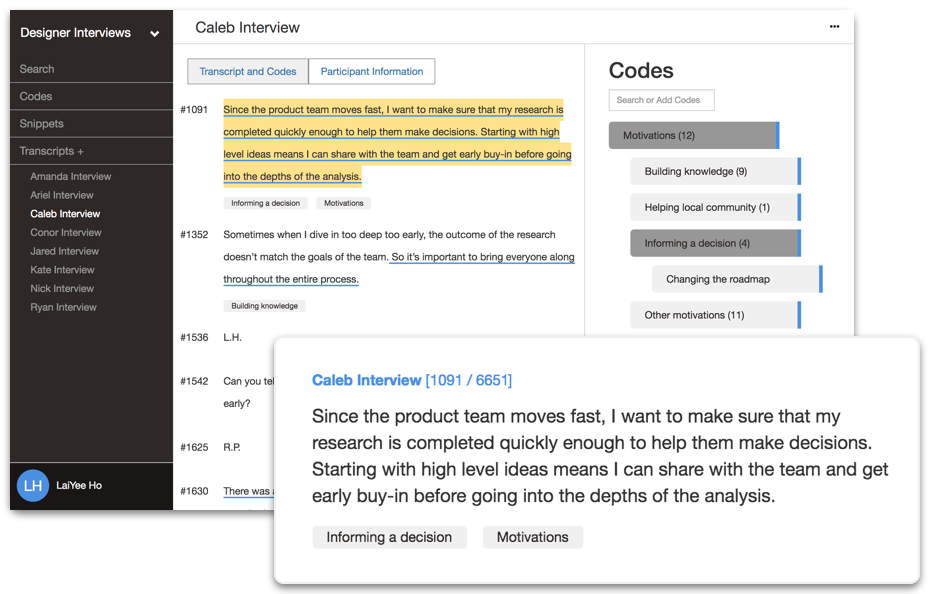
Delve provides a user-friendly platform for coding qualitative data—great for academic-style research or deep interview analysis.
Why it stands out:
- Manual and semi-automated coding.
- Thematic visualization tools.
- Ideal for structured qualitative research workflows.
Best for: Academic researchers or insight analysts focusing on text-based data.
12. Google Forms + Sheets + Gemini AI (Combo) – Best No-Cost Stack
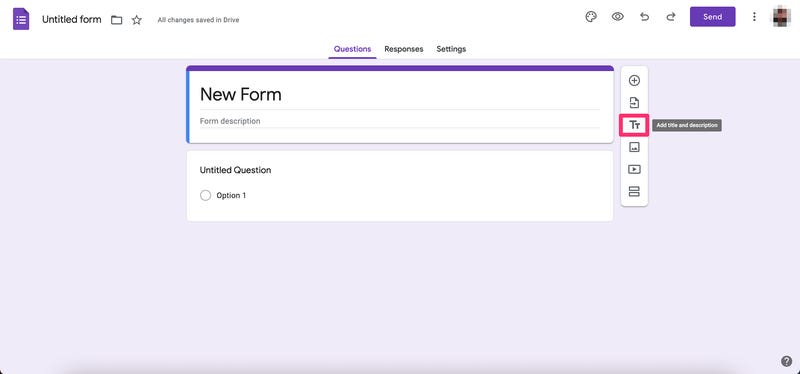
For scrappy teams, combining Google Forms with Sheets and Gemini (or ChatGPT) can deliver quick insights without expensive software.
Why it stands out:
- Zero cost entry.
- Easy to automate with scripts or Make.com.
- Pair with AI for quick sentiment or theme analysis.
Best for: Early-stage startups or teams experimenting with basic research.
Best AI Tools for Real-Time Customer Feedback
Real-time customer feedback — insight captured at the moment of experience rather than days or weeks later — requires tools that combine low friction for respondents with fast AI-powered analysis for research teams. Here are the top AI tools for real-time customer feedback in 2026.
1. Usercall — Best for AI-moderated voice feedback at the moment of experience
Usercall enables asynchronous voice interviews participants can complete immediately after an interaction — purchase, onboarding, support call, or product trial. The AI moderator asks dynamic follow-up questions in real time, probing the reasoning behind responses. Themes, quotes, and insight summaries are ready within hours. Ideal for post-purchase, post-onboarding, or churn-exit feedback where you need the "why" fast.
2. Hotjar — Best for on-site micro-feedback at the moment of interaction
Hotjar's on-page polls and feedback widgets trigger at specific moments — after a user completes a task, attempts to exit, or reaches a key scroll depth. Responses feed directly into dashboards with no manual processing required.
3. Qualtrics XM — Best for enterprise-grade real-time NPS and CSAT
Qualtrics triggers automated survey workflows at transaction events (purchase, ticket close, onboarding complete) and uses predictive AI to flag at-risk customers before they churn. Strong for tracking satisfaction trends across large customer bases.
4. Typeform + AI integrations — Best for conversational real-time surveys
Typeform's question-by-question flow captures higher-quality open-ended responses than static surveys. Pair with Zapier or Make.com to route responses through AI summarization tools automatically as soon as they're submitted.
For most teams, the highest-leverage real-time feedback setup is: Usercall for qualitative depth on key moments (onboarding, churn, post-purchase) + Hotjar for always-on site feedback + one quantitative tool (Typeform or Qualtrics) for trend tracking.
Quick Comparison Snapshot
| Tool | Best For | Key Strengths |
|---|---|---|
| Usercall | AI-moderated voice interviews | Automated analysis, fast setup, always-on insights |
| Dovetail | Qual data repository | Powerful tagging, visualization, collaboration |
| Hotjar | Website behavior feedback | Heatmaps, recordings, real-time polls |
| Qualtrics | Enterprise surveys | Advanced analytics, predictive AI, compliance |
| Typeform | Engaging surveys | Conversational UX, logic branching |
| Airtable | Research data organization | Custom schemas, automation |
| Maze | Prototype testing | Heatmaps, task success, analytics |
| Lookback | Live usability sessions | Moderated interviews, timestamped notes |
| SurveyMonkey | Mass surveys | Templates, analytics, respondent panel |
| Grain | Meeting insights | AI summaries, clips, CRM integration |
| Delve | Thematic coding | Manual + AI-assisted coding |
| Google Stack | Free basic research | Simple setup, AI automation |
How to Choose the Right Customer Research Software
When evaluating tools, ask yourself:
- What kind of insights do I need?
- Deep motivations → Qualitative (Usercall, Dovetail)
- Behavioral or UX → Observation (Hotjar, Maze, Lookback)
- Metrics or validation → Quantitative (SurveyMonkey, Qualtrics)
- How big is my team and workflow?
- Solo or small team → Simple tools like Typeform or Usercall.
- Enterprise → Centralized suites like Qualtrics or Dovetail.
- How much manual work can I eliminate?
- AI-powered tools now handle tagging, theming, and summarization—freeing researchers for synthesis and storytelling.
What most teams get wrong when choosing customer research software
They choose tools based on features instead of workflow.
They underestimate how much time manual coding actually costs.
They separate data collection from synthesis, slowing decisions.
They treat research as episodic instead of continuous.
The best tools in 2026 reduce friction at every step, from collecting feedback to sharing insights.
Final thoughts: the future of customer research is always-on and AI-assisted
The best customer research software isn’t the one with the longest feature list. It’s the one that fits how fast your team needs answers.
If you’re still scheduling interviews, transcribing recordings, and manually coding responses, you’re paying in time what you save in software costs.
Modern teams combine AI-assisted qualitative tools, behavioral data, and targeted surveys into an always-on insight system that keeps them close to customers year-round.
Start small. Replace one survey or interview workflow with an AI-assisted alternative and compare the speed, depth, and clarity of the insights you get.
Once you've found the right tool, make sure your overall discovery process is just as sharp—the Product Discovery Ultimate Guide gives you the full framework. If you want to see AI-powered customer interviews in action without a lengthy procurement process, Usercall is free to try today.
Frequently Asked Questions
What is customer research software used for?
Customer research software helps teams collect, organize, analyze, and activate insights from users or target customers. It bridges the gap between raw feedback and actionable strategy. In 2026, tools fall into three categories: qualitative research, quantitative surveys, and hybrid AI-native platforms that combine collection and analysis across text, voice, and feedback streams.
What are the best customer research software tools in 2026?
The top customer research software tools in 2026 include UserCall for AI-moderated interviews, Dovetail for research repositories, Hotjar for on-site behavior and feedback, Qualtrics for enterprise surveys, Maze for rapid UX testing, and Lookback for live moderated interviews. The best choice depends on your specific use case and team workflow.
How is AI-native customer research software different from traditional tools?
Traditional customer research tools require manual scheduling, transcription, coding, and synthesis, making them slow and labor-intensive. AI-native tools run interviews asynchronously, automatically transcribe and code responses, and let researchers focus on interpreting insights. For most teams, this shift cuts analysis time by 60 to 80 percent.
Do customer research software tools offer free trials or free plans?
Many leading customer research software platforms offer free trials or entry-level plans. Tools like Hotjar and Maze have free tiers for smaller teams or limited usage. AI-native platforms such as UserCall are designed for continuous discovery workflows, and most enterprise tools like Qualtrics operate on paid plans with demo options.
What are the main limitations of traditional customer research software?
Traditional customer research software is slow and labor-intensive. Teams must manually schedule interviews, transcribe sessions, tag responses, and clean spreadsheets before any insight is usable. In 2026, this workflow is no longer sufficient for teams that need continuous feedback loops, fast analysis, and always-on customer understanding.
What type of customer research software is best for qualitative analysis?
For qualitative analysis, AI-native tools like UserCall are best because they automate transcription, first-pass coding, and theme detection across interviews. Dovetail works well as a central research repository for organizing qualitative findings. These tools replace manual tagging workflows and significantly reduce the time between data collection and insight activation.
When should a team invest in customer research software instead of using spreadsheets?
Teams should invest in dedicated customer research software when spreadsheets and scattered surveys can no longer support continuous feedback loops. If adoption is stalling, retention is slipping, or decisions are being made on assumptions rather than real data, purpose-built tools provide the workflow and automation needed to turn feedback into reliable insights.
If you want to see how these tools fit into a full research workflow, the 17 essential UX research tools organized by phase gives you a practical map from discovery through analysis. And if qualitative interviews at scale are on your list, Usercall runs AI-moderated calls that surface real insights without the scheduling overhead—worth a look before you commit to a stack.
For a broader comparison that spans interviews, testing, and analysis platforms, see our full ranking of the 12 best user research platforms in 2026. If real-time conversations with customers are part of how you validate insights, Usercall makes it easy to run and analyze those interviews at scale.
Related: 20 best customer research tools by category · top 10 user survey tools · AI tools for user research