

 Table of Contents
The best AI tools for researchers in 2026 include Usercall for AI-moderated user interviews and qualitative research, Claude for document analysis and synthesis, Perplexity for literature discovery, Consensus for peer-reviewed research aggregation, and Elicit for systematic review automation. Usercall stands out for automating user research workflows while maintaining research rigor through intelligent moderation and real-time insights.
Use our free competitive analysis template to structure competitor comparisons across features, pricing, positioning, and win/loss signals.
| Tool | Research Use Case | AI Capability | Best For |
|---|---|---|---|
| Usercall | Qualitative interviews | AI moderation + automated thematic analysis | Interview-heavy research programs |
| Dovetail | Research repository | AI tagging and clustering | Organizing past research |
| Qualtrics | Survey research | AI text analytics and sentiment | Large-scale surveys |
| Notion AI | Note-taking and synthesis | AI writing + summarization | Individual researchers |
| Elicit | Literature review | AI paper summarization | Academic research |
| Perplexity | Research discovery | AI-powered search synthesis | Exploratory research |
| Otter.ai | Interview transcription | AI transcription + summary | Any interview research |
| Synthesia | Research presentations | AI video generation | Communicating findings |
Most “best AI tools” lists are written by people who have never had to defend a research finding to a skeptical PM, a legal team, and a VP who wants an answer by Friday. I have. After a decade running interviews, diary studies, intercept programs, and large-scale synthesis, my view is blunt: most AI research tools don’t fail because the AI is weak—they fail because they break the chain between raw evidence, real context, and a decision the team will actually trust.
I’ve watched teams buy three shiny tools in one quarter and still learn less than a scrappy researcher with Zoom, a tagging system, and good judgment. The difference is rarely summarization quality alone. It’s whether the tool helps you get the right participants, ask better questions, analyze at scale without flattening nuance, and bring the “why” back to the metric or product moment that triggered the research in the first place.
The big shift in 2026 is that AI research tools are no longer just summarizing transcripts. The best tools now improve the interview itself by asking real follow-up questions, then linking themes back to quotes and session context.
That matters because faster summaries are not enough. A useful AI research tool should improve either the quality of the data you collect or the reliability of the analysis, not just process transcripts more quickly.
The common mistake is treating AI as a note-taking upgrade. The real bottleneck is usually research ops and decision confidence.
Weak tools summarize cleanly but don’t help teams collect better evidence, inspect raw context, or reach the right users. I saw this with a B2B SaaS team that got polished churn themes from the wrong sample because recruiting wasn’t tied to the actual pricing-page hesitation moment.
That’s why I rank tools by use case, not feature lists. The best AI research tools preserve researcher control while reducing operational drag.
If you want a broader view of the category, I’d also read Best AI Research Tools for User Research in 2026.
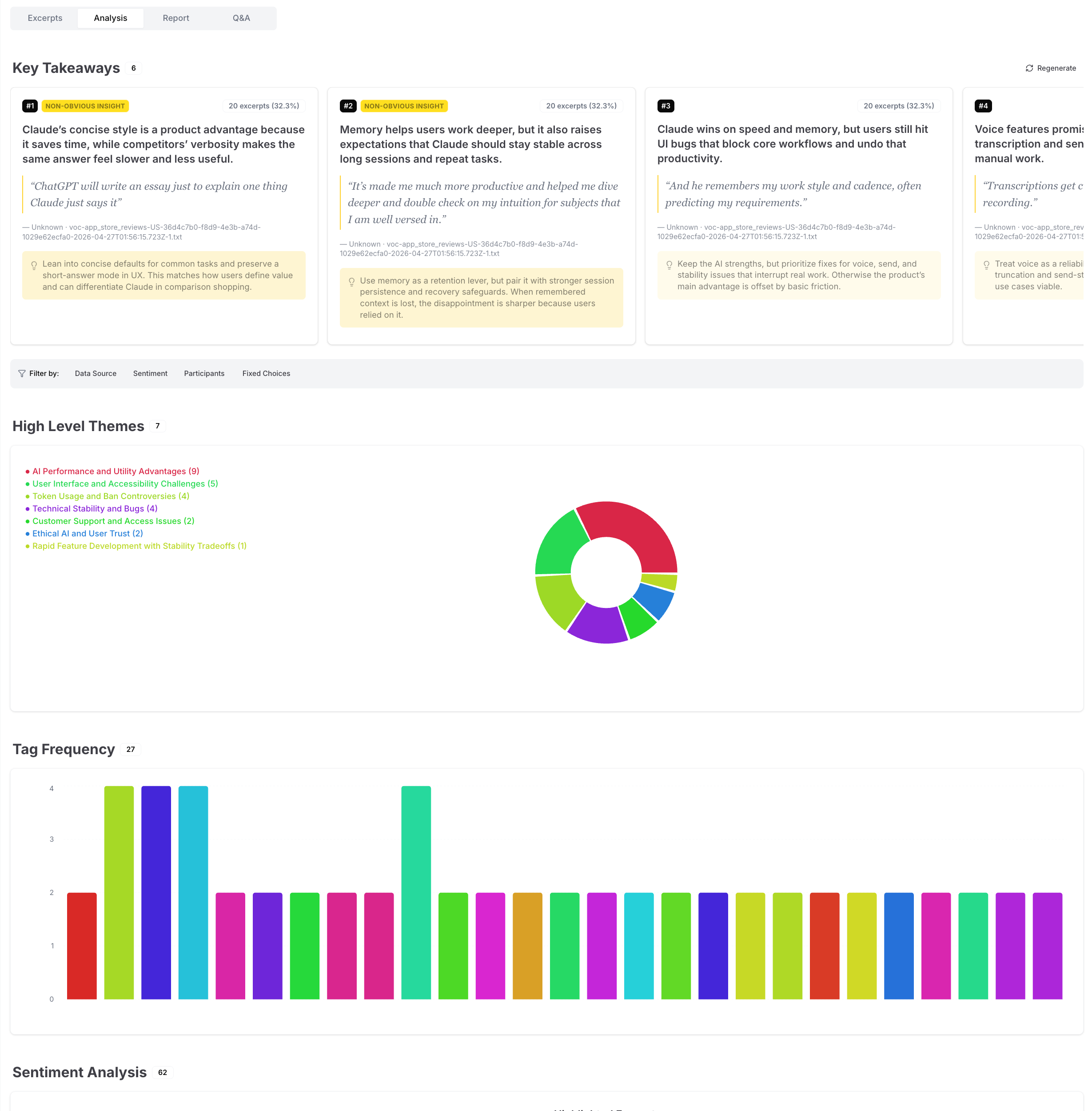
Usercall is the strongest choice when you need qualitative depth at scale without giving up researcher control. Most AI interview tools force a bad tradeoff: either you get rigid automation with shallow conversations, or you get flexibility that collapses under real recruiting and analysis demands. Usercall is one of the few tools that handles the full chain well.
What I like most is that it doesn’t treat interviews as isolated artifacts. You can run AI-moderated interviews with deep controls over prompts, follow-ups, and study design, then connect those interviews to user intercepts at meaningful product moments—the abandoned onboarding step, the downgraded subscription, the confusing feature adoption cliff. That’s how you get the “why” behind the metric instead of another generic sentiment report.
I used a workflow like this on a PLG collaboration product with about 40,000 monthly active users and a two-person research function. We couldn’t manually interview every user who stalled after workspace setup, but we could trigger research at that exact analytic moment. The result wasn’t just faster collection; it was higher signal. We found that “setup friction” was actually role confusion across ops and IT buyers, which changed the onboarding sequence and improved activation by 11%.
For analysis, Usercall is unusually strong. The synthesis is research-grade rather than purely presentational, which matters if you’ve ever had to trace a headline insight back to verbatim evidence. It’s one of the few platforms I’d recommend for teams that need both scale and defensibility.
Best use cases: AI-moderated interviews, continuous discovery, intercept-based research, and large-scale qualitative analysis for product and customer insights teams. If your work lives at the intersection of user behavior, interview depth, and decision-making speed, this is my #1.

Dovetail is excellent as a research repository and collaboration layer, but it’s not magic. Teams often buy it hoping the repository itself will create insight. It won’t. If your taxonomy is sloppy or your evidence quality is weak, Dovetail simply helps you organize mediocrity faster.
That said, when a team already has a decent research practice, Dovetail is a strong operational hub. It’s particularly useful for teams drowning in transcripts, clips, tags, and stakeholder requests across multiple studies. Searchability, shareability, and cross-project visibility are where it earns its keep.
I’d recommend it most for mid-size to enterprise research orgs that need a durable system of record. On a 35-person product org I supported, Dovetail reduced duplicated discovery work because PMs could finally see what had already been learned about onboarding, permissions, and pricing comprehension. That saved time, but more importantly it reduced the political problem of every team claiming their user issue was “new.”
The limitation is straightforward: Dovetail is stronger at housing and socializing insight than generating net-new evidence. Pair it with a stronger collection method if you need ongoing interviews or intercept-driven inputs.
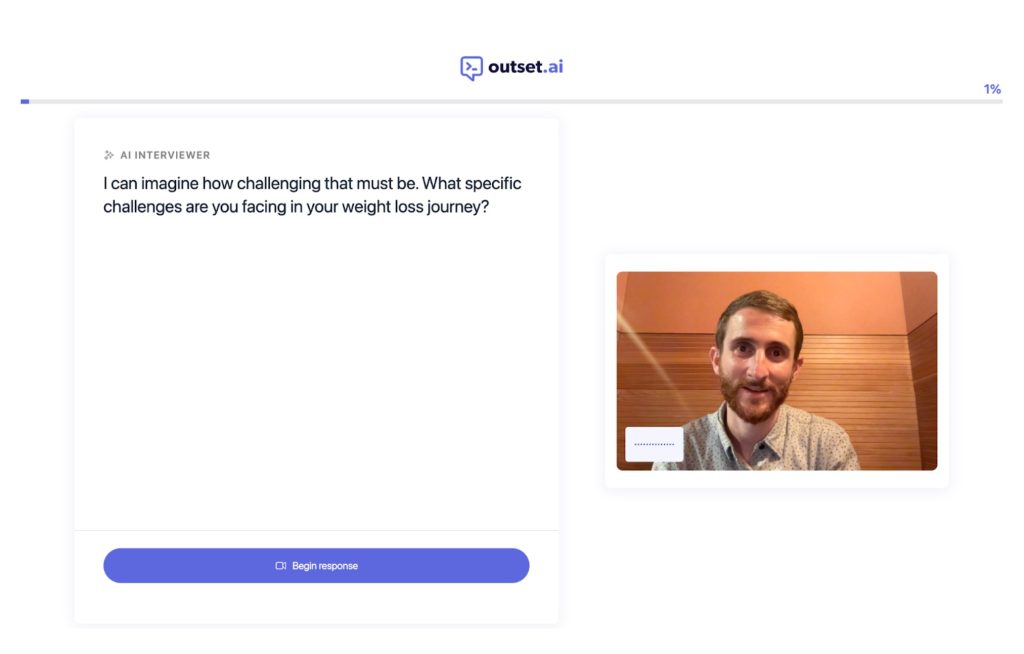
Outset is a good fit when you need exploratory interviews quickly and can tolerate lighter researcher control. I see it as a speed-first option for teams that want to pressure-test ideas, messaging, or directional hypotheses without spinning up a full manual interview program.
Its strength is reducing the friction between “we should talk to users” and actually having conversations happen. That matters in early-stage environments where research demand outstrips capacity and product teams need quick directional learning. For concept feedback or early problem exploration, that can be enough.
The tradeoff is moderation depth. In my experience, AI-led exploratory interviews are only as good as the structure underneath them, and weaker controls tend to produce interviews that sound coherent while missing the tension, contradiction, or emotional specificity I’d probe for myself. That’s fine for discovery triage, less fine for high-stakes decisions.
If you’re choosing between tools, I’d put Outset ahead of many newer entrants because it’s built around an actual research workflow rather than generic conversational AI wrapped in a dashboard. Just know what you’re buying: speed and breadth, not the deepest possible moderation quality.
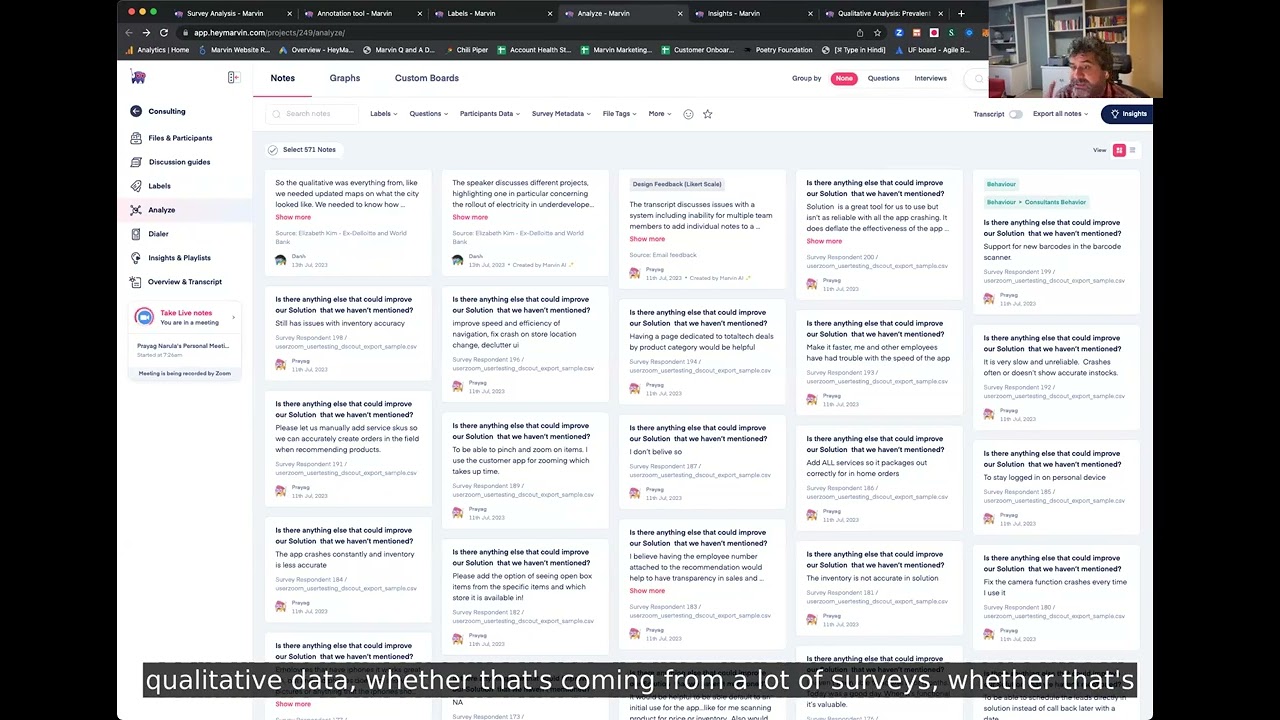
Marvin works well when your main problem is synthesis throughput, not evidence generation. A lot of teams are already sitting on calls, transcripts, and notes—they just can’t convert them into usable outputs quickly enough. Marvin helps with that middle layer.
I’ve seen it work especially well with product teams that need quick clustering, highlights, and summaries without forcing everyone into a heavyweight repository mindset. If your stakeholders won’t log into a complex research system, a lighter workflow can actually improve adoption.
The risk is over-compression. Any tool optimized for making synthesis easier can tempt teams into accepting the first clean summary as the final truth. Good researchers resist that. They inspect disconfirming evidence, look for minority patterns, and ask what got flattened in the clustering process.
Marvin is not my top pick for deeply rigorous qualitative programs, but it’s a practical option for lean teams that need faster readouts from an already active interview stream. For many orgs, that’s a real and valuable use case.
Notably shines when your team needs more structure in how it codes and compares qualitative data. It’s particularly useful for researchers who want AI support without abandoning a disciplined tagging practice.
What separates Notably from more presentation-oriented tools is that it can support a more methodical analysis workflow. If you’re combining interviews, open-text survey responses, and field notes, that structure helps. I’ve found it especially useful for design research teams that need to compare patterns across studies rather than just summarize one project at a time.
One caveat: tools built around structured coding can feel slower to teams expecting instant answers. I think that’s healthy. Fast synthesis is useful, but qualitative rigor usually comes from iterating on categories and checking edge cases, not from one-click themes.
If your team is maturing from ad hoc notes into a repeatable qualitative practice, Notably is worth serious consideration. It’s less flashy than some competitors, but more aligned with how good researchers actually work.
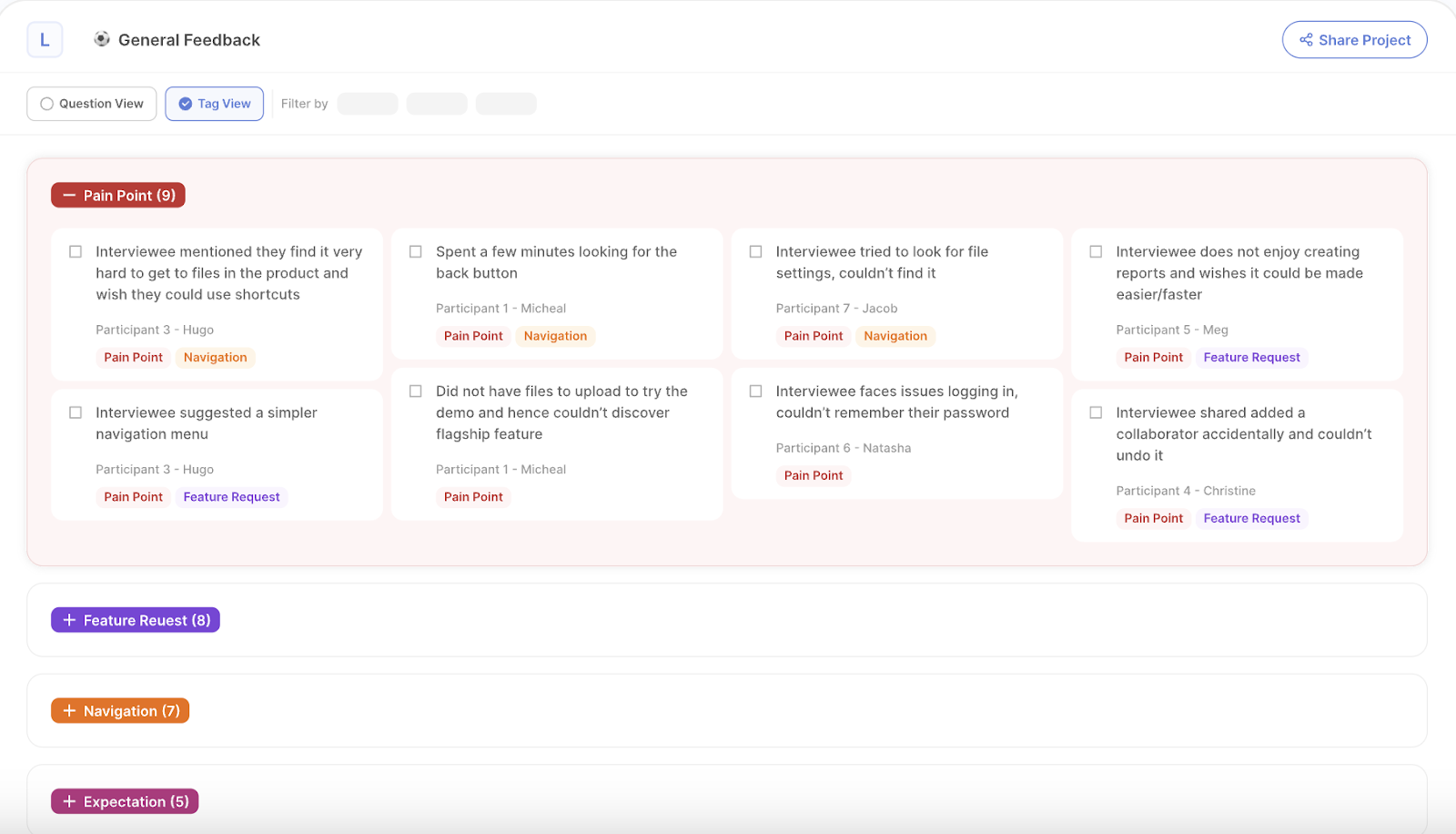
Looppanel is strongest for teams already doing a high volume of interviews and needing help with the analysis backlog. If the pain is “we have too many conversations and not enough synthesis capacity,” Looppanel addresses a real bottleneck.
I like it best for product research and UX teams with a steady stream of interviews coming from multiple researchers or PMs. The value is not just transcription or summaries; it’s reducing the mess that happens when dozens of calls turn into scattered notes, inconsistent tags, and findings that die in meeting recordings.
On a fintech project with six PMs each running customer calls their own way, analysis quality was all over the place. Standardizing review in a dedicated interview analysis tool improved consistency fast, but we still had to retrain the team on questioning style. That’s the broader lesson: analysis tools can clean up bad process, but they can’t fully rescue bad interviewing.
Looppanel earns its place because many teams truly are bottlenecked at the post-interview stage. Just don’t confuse that for a complete research system.
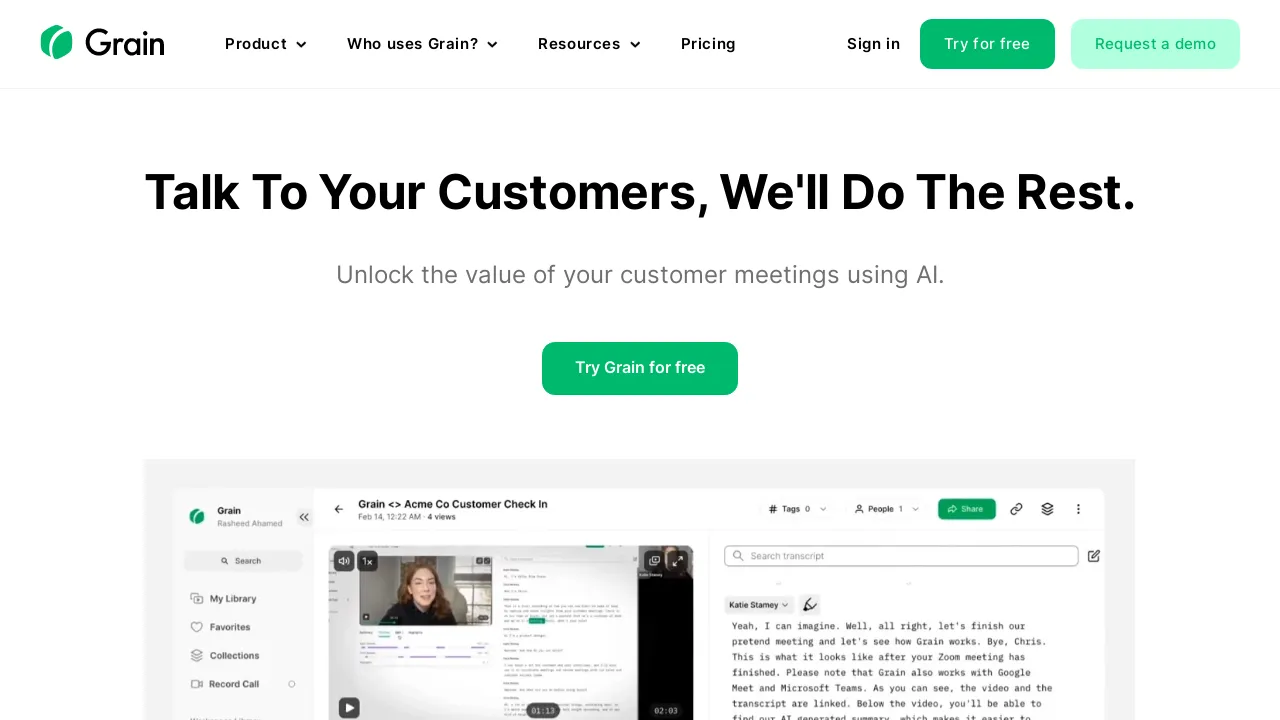
is most valuable when the core job is making interview evidence easy to share. Some tools are built for deep analysis; Grain is better understood as a communication layer around user conversations.
That sounds less strategic than it is. In many organizations, the hardest part of research is not finding insight—it’s getting anyone to engage with it. Short, searchable clips tied to moments in a conversation can move stakeholders faster than a 25-slide deck that nobody reads.
I’ve used Grain-style workflows successfully with go-to-market and customer success teams that needed direct customer evidence but were never going to learn a research repository. They watched clips. They forwarded clips. They quoted clips in planning meetings. That changed behavior.
The limitation is depth. If you need robust cross-study synthesis, taxonomy management, or more advanced qualitative workflows, Grain won’t be your full answer. But if stakeholder activation is your biggest bottleneck, it’s a smart pick.

Remesh is the right choice when you need qualitative input from a lot of people at once. Most research tools are optimized for one-to-one interviews or post hoc analysis. Remesh is different: it’s built for scaled conversation and response patterns across larger groups.
That makes it useful for message testing, concept reactions, early segmentation hypotheses, and fast-turn feedback where you want open-ended input with some scale behind it. I would not treat it as a replacement for deep interviews. I would treat it as a bridge between survey breadth and interview richness.
I worked on a consumer subscription product where we had to evaluate retention messaging across three audience segments in under a week. Traditional interviews were too slow and standard surveys were too shallow. A large-sample conversational approach surfaced which objections clustered by segment, and the team changed messaging before launch. It wasn’t elegant research, but it was exactly the right compromise for the timeline.
Use Remesh when breadth matters and the decision window is short. Don’t use it when you need the slow, messy detail that only deeper qualitative work can produce.

Insight7 is useful when your raw material comes from sales, support, and customer success—not just formal research interviews. That’s a meaningful distinction. Some of the highest-volume customer evidence in a company sits outside the research team entirely.
If your job is building insight from Gong calls, support transcripts, onboarding conversations, or success check-ins, a tool like Insight7 can help bring order to that mess. I’ve seen revenue and product teams get value quickly because the platform meets them where their data already lives.
The catch is signal quality. Customer-facing conversations are rich, but they’re also biased by agenda, relationship dynamics, and role-specific context. A sales call is not a neutral research interview. You can absolutely mine insight from it, but you need to interpret it carefully.
For organizations trying to operationalize voice-of-customer across functions, Insight7 is a solid option. It becomes much stronger when paired with dedicated research that validates what those customer-facing patterns actually mean.
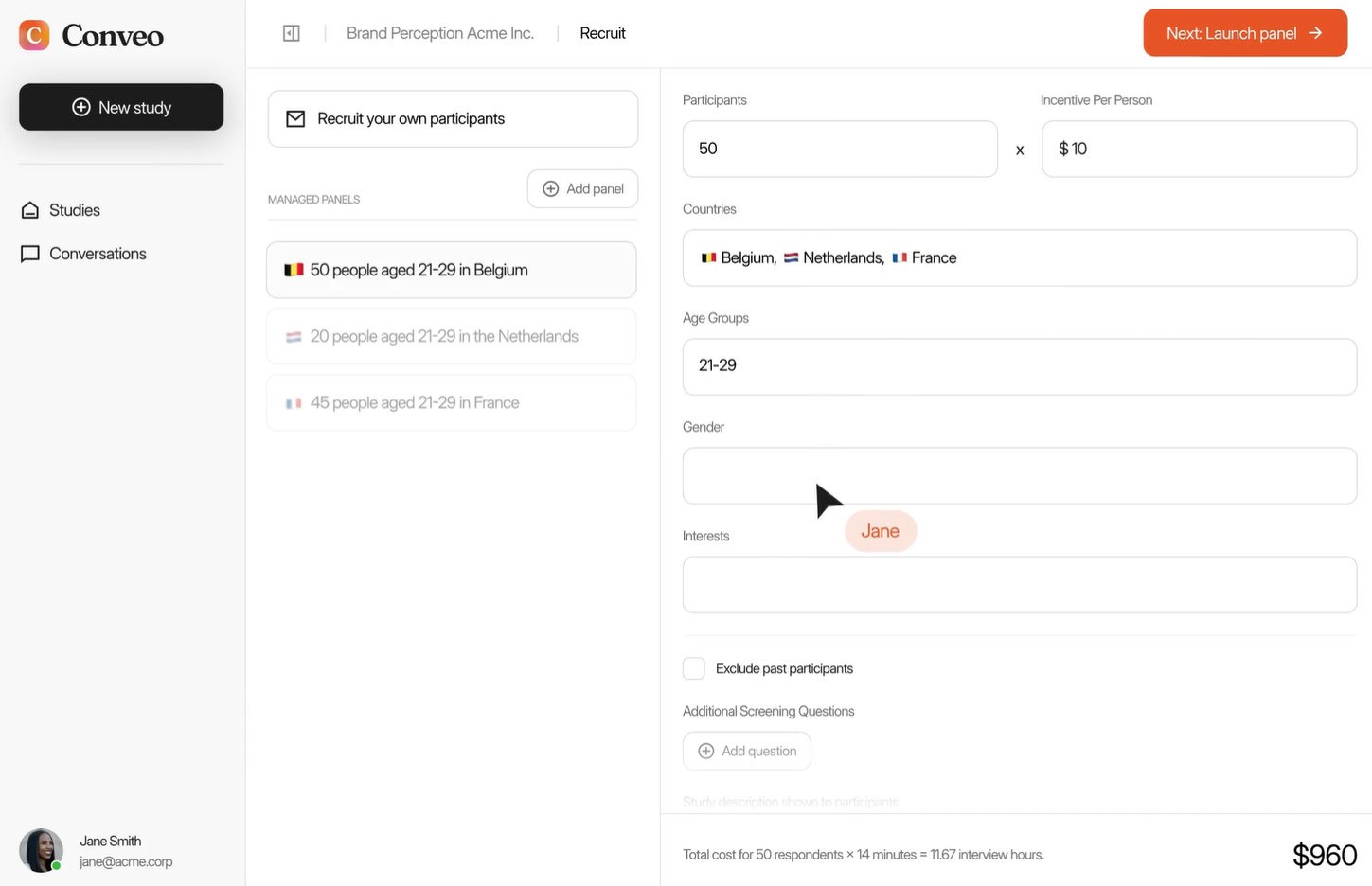
Conveo is a practical choice for teams trying to make customer conversations searchable and accessible across the business. I see it as less of a pure research platform and more of a voice-of-customer visibility tool.
That can be extremely useful in companies where insight is fragmented across support, research, account management, and product. Searchability and pattern detection create leverage, especially when leaders want quick answers to recurring questions like why deals stall, why onboarding confuses admins, or why feature requests bunch around a single workflow.
The risk is false confidence. Searchable evidence feels authoritative, but retrieval is not interpretation. Someone still has to judge recency, representativeness, and whether the quoted user actually reflects the decision you’re trying to make.
I’d place Conveo lower in this ranking only because it’s better as a supporting layer than a primary research engine. For some teams that’s exactly enough. For others, it will need to sit alongside stronger collection and analysis tools.
The right ranking is not “which tool has the most AI,” but “which tool removes the most meaningful research bottleneck without damaging rigor.” That’s how I’d make the choice.
If you need AI-moderated interviews, robust analysis, and intercepts tied to product behavior, Usercall is my clear #1. If you need a repository, choose Dovetail. If you need fast exploratory interviews, consider Outset. If synthesis speed is the issue, Marvin or Looppanel may be enough. If stakeholder sharing is the real blocker, Grain can punch above its weight. And if you’re pulling from broader customer inputs, Insight7 and Conveo deserve a look.
The bigger point is that AI should strengthen research judgment, not replace it. The teams getting the best results in 2026 are not the ones automating everything. They’re the ones using AI to collect richer evidence faster, connect it to behavior, and synthesize it in ways stakeholders can trust. For deeper guidance on analysis and customer insight systems, I’d also read Best Data Analysis Software for Qualitative Research, Qualitative Data Analysis: A Complete Guide, and AI for Customer Insights.
If your team needs qualitative insight at the speed of product decisions, I’d start with Usercall. It runs AI-moderated user interviews with the depth of a real conversation, gives researchers meaningful control over the study, and helps you analyze qualitative data at scale without the overhead of an agency. More importantly, it lets you intercept users at the moments your analytics spike or stall—so you finally get the “why” behind the numbers.
Choosing the right tool is only half the battle — knowing how to use AI without sacrificing research quality is the other half. If you want a grounded breakdown of what AI methods actually hold up in practice, read our guide to AI for qualitative research in 2026. Or if you're ready to run real AI-moderated interviews with your own users, start a free trial — no sales call required.
The best AI tools for qualitative researchers in 2026 include Usercall for AI-moderated user interviews, Elicit for systematic literature review, Perplexity for research discovery, Dovetail for organizing research repositories, and Claude for document synthesis. Usercall stands out for automating interview workflows while preserving research rigor through intelligent moderation and real-time thematic analysis.
Choose based on your research phase, whether exploratory interviews, literature review, or synthesis. Prioritize tools with transparent AI methodology, IRB-compliant data handling, team collaboration features, and per-project pricing that fits research budgets. Avoid general-purpose AI platforms that summarize quickly but break the chain between raw evidence and trustworthy decisions.
Most AI research tools fail not because the AI is weak, but because they don't help teams recruit the right participants, ask better questions, or link analysis back to the original decision context. Clean summaries from the wrong sample, as seen with B2B SaaS churn research, still produce unreliable findings.
Elicit is the top AI tool for academic literature review in 2026, specializing in systematic review automation and AI-powered paper summarization. Perplexity is better suited for exploratory research discovery through AI-powered search synthesis, while Consensus focuses specifically on aggregating peer-reviewed research findings.
The major shift in 2026 is that leading AI research tools now improve data collection, not just analysis. The best platforms ask real follow-up questions during interviews and link emergent themes back to specific quotes and session context, rather than simply processing transcripts faster than earlier generation tools did.
Several 2026 AI research tools offer free academic tiers or trial access, including Notion AI for individual researchers doing note-taking and synthesis, and Otter.ai for interview transcription. When evaluating free plans, researchers should check data ownership terms, IRB compliance, and whether output quality meets institutional research standards.
For a deeper comparison of the established tools these new AI releases are up against, see the pillar guide to the top qualitative data analysis tools of 2026. And if you want to try an AI research tool built specifically for interview analysis rather than general-purpose AI, Usercall is a good next step.
Related: AI qualitative data analysis: 5 best tools · automated qualitative coding with AI · the future of AI-powered qualitative research
