
Product Analytics Integrations: Why Your Dashboards Can't Tell You Why Users Do What They Do
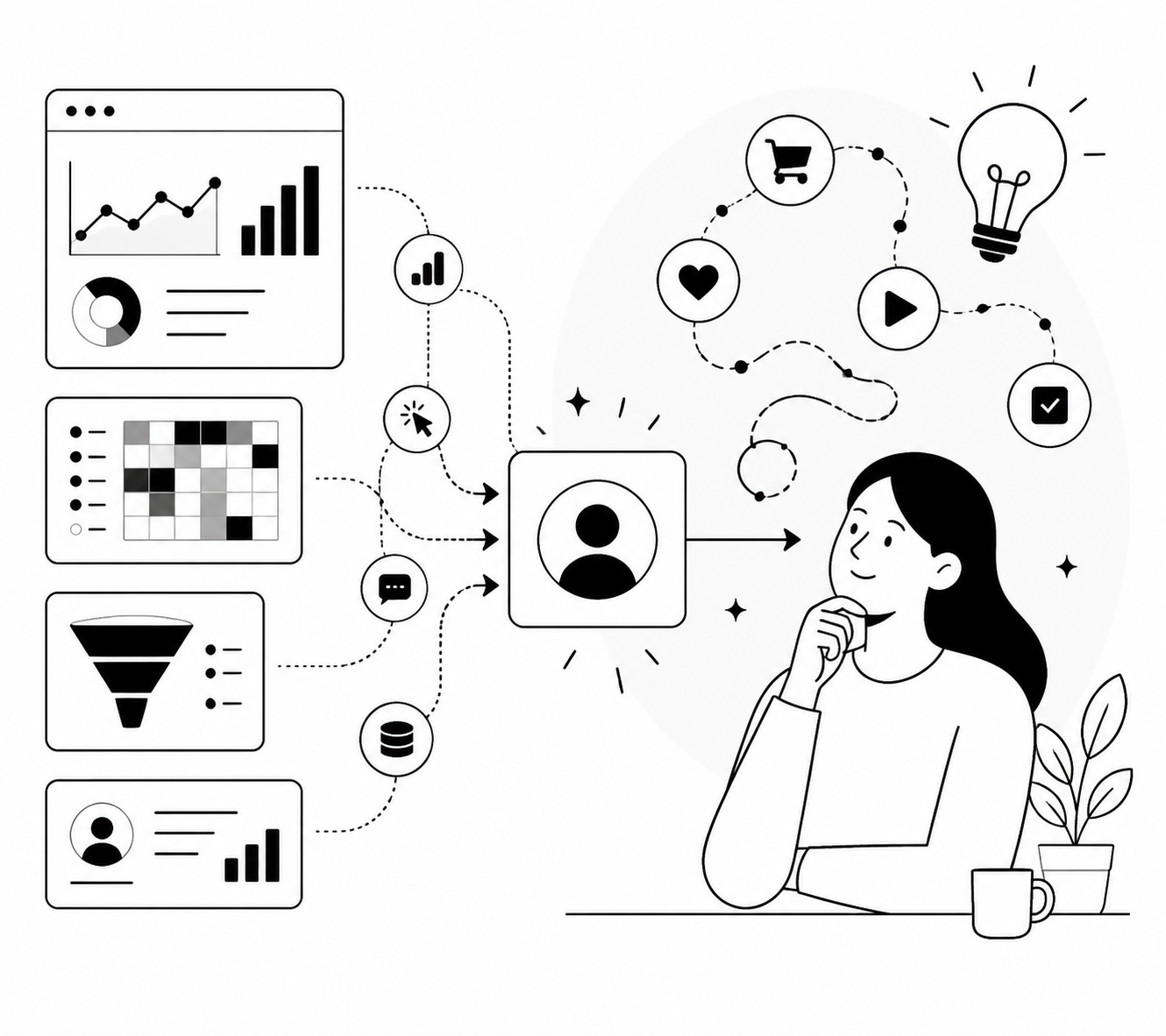
I spent three years staring at funnel charts trying to guess why users dropped off at step four of onboarding. I had heatmaps. I had cohort tables. I had a dashboard so beautiful our VP used it in board decks. What I didn't have was a single sentence from an actual human explaining their reasoning. That's the dirty secret of product analytics: it tells you what happened with extreme precision and tells you nothing about why, which is the only question that actually changes a roadmap.
This is the gap product analytics integrations are supposed to close. The idea is simple: your analytics tool spots a behavioral pattern, an integration triggers a qualitative research moment, and you get the "why" attached to the "what" without waiting six weeks for a research team to recruit participants. In practice, most teams either skip this entirely (and ship features based on vibes) or bolt together a Frankenstein of Zapier webhooks and hope nothing breaks. I want to walk through what actually works, tool by tool, because the integration you pick determines the quality of insight you get back.
See Talk to the right users at the right time with the tools you already use for Mixpanel, PostHog, Amplitude, Google Analytics 4, Segment, Stripe, Intercom, and webhooks.
The Real Problem: Behavioral Data Without Context Is a Guessing Game
Here's a scenario every PM has lived through. Your event tracking shows a 40% drop-off between "created project" and "invited teammate." You have three competing theories in the next planning meeting: the invite flow is confusing, users don't see the value yet, or they're testing solo before committing their team. Each theory leads to a different fix. Without talking to the actual users who dropped off, you're picking a theory based on whoever argues loudest in the room. I've watched teams burn entire sprints building a "fix" for the wrong theory. The behavioral data was right. The interpretation was wrong. That's the pattern integrations are meant to break: instead of interpreting the data yourself, you go straight to the user who generated it, while the moment is still fresh in their memory. The tools below all solve this same core problem in different ways, depending on what analytics stack you're already running.
Google Analytics: Turning GA4 Events Into Real User Context
Most teams treat GA4 as a marketing tool and never connect it to product research, which is a missed opportunity if you're running a content-driven or acquisition-heavy product. GA4 event data tells you what pages, campaigns, or flows precede a conversion or a bounce, but it strips out all the "why." If you're seeing high engagement on a landing page that doesn't convert, or a spike in a specific event right before churn, that's exactly the kind of signal worth turning into a conversation. I've written in detail about how to capture user insights directly from GA4 events, including which events are actually worth triggering a research moment for versus which ones are just noise. The short version: don't try to interview on every event. Pick the two or three that represent genuine decision points in your funnel.
Segment: The Backbone for Triggering Interviews on Any Customer Event
If you're running Segment, you already have the cleanest possible foundation for this, because Segment sits in the middle of your stack collecting events from every source and routing them wherever you need. That makes it the most flexible option for triggering interviews based on customer behavior, since you're not limited to whatever events a single analytics tool happens to track natively. I've seen teams use Segment to fire an interview invite the moment a high-value account hits a specific feature for the third time, or the moment a free trial user completes a key activation event without upgrading. The mechanics of setting this up, plus which event types tend to produce the highest response rates, are covered in this breakdown of triggering user interviews from customer events. If you're building a research program from scratch and already use Segment, this is the integration I'd start with.
Amplitude: Connecting Behavioral Cohorts to Actual Conversations
Amplitude users tend to be sophisticated about behavioral segmentation already. You've got cohorts, retention curves, and funnel breakdowns that would make a data scientist proud. The problem is that Amplitude cohorts describe groups, not individuals, and group-level behavior hides a lot of individual reasoning. I had a client whose Amplitude data showed a cohort of "power users who churned anyway," a genuinely confusing pattern because power users are supposed to be your safest segment. Nobody could explain it from the graphs alone. Turning that cohort into a set of actual interviews revealed that these users had built entire workflows around a feature that got quietly deprecated in a "minor" update. No survey would have surfaced that; it took direct conversation to connect the churn event to the specific change that caused it. The practical setup for connecting Amplitude's behavioral signals to interview triggers, including how to combine survey responses with behavioral data without one canceling out the signal from the other, is detailed in this guide on turning Amplitude signals into user interviews.
Mixpanel: Pairing Event Data With Sentiment You Can Actually Act On
Mixpanel is popular with teams obsessing over activation and onboarding metrics, and for good reason. It's excellent at telling you where users are in the funnel. What it can't tell you is how those users feel about the experience, which matters enormously if you're trying to improve onboarding completion or reduce time-to-value. I've reviewed a lot of Mixpanel setups where teams have a gorgeous onboarding funnel dashboard next to an NPS score that's been flat for a year, with zero connection between the two data sources. The fix is triggering qualitative interviews directly off Mixpanel events tied to onboarding milestones, so you're pairing "user completed step 3" with "here's why step 3 felt confusing" in the same research cycle. I go deeper on how to evaluate onboarding experience and connect sentiment analysis to specific Mixpanel events in this piece on turning Mixpanel events into user interviews. If your onboarding funnel numbers have plateaued and you don't know why, this is the fastest way I know to get an answer within a week instead of a quarter.
PostHog: The Most Flexible Option for Event-Triggered Research
PostHog has become my default recommendation for teams building product-led growth motions, mostly because it combines event tracking, feature flags, and session replay in one place, which gives you more triggering options than almost any other tool on this list. You can fire a research interview off a raw event, a feature flag state, or a behavioral pattern across sessions. The general setup for connecting PostHog product events to triggered interviews is covered in this overview of triggering user interviews from product events, and it's worth reading even if you end up using a different analytics tool, because the triggering logic transfers across platforms. Where PostHog really earns its keep is in the specific workflows you can build once the integration is live. Three come up constantly in the teams I work with, so I'll walk through each one.
Three PostHog Workflows Worth Stealing
The general integration gets you the plumbing. These three workflows are what you actually do with it. Onboarding drop-off. Every product with a multi-step signup or setup flow has a step where users disappear. Instead of guessing why, you can trigger an interview the moment a user abandons a specific onboarding step, while the friction is still fresh. I covered the exact setup, along with which onboarding difficulty patterns show up most often for SaaS products, in this walkthrough of investigating onboarding drop-off using PostHog workflows. One pattern I see constantly: teams assume drop-off means confusion, when a huge chunk of the time it actually means the user got interrupted and never came back, which is a completely different problem with a completely different fix. Feature abandonment. This one is sneakier than churn because the account is still active, revenue is still coming in, but a feature that used to get used regularly has gone quiet. That's a leading indicator of churn that most dashboards don't flag until it's too late. Triggering a conversation the moment abandonment crosses a threshold gives you a chance to intervene before the account leaves entirely. The setup and thresholds worth watching are in this guide on understanding feature abandonment using PostHog workflows. Churn reasons. Exit surveys are notoriously unreliable because by the time someone's canceling, they've mentally checked out and give you a one-word answer that tells you nothing. Triggering a real conversation earlier in the churn sequence, tied to specific behavioral markers rather than the cancellation event itself, gets you honest answers instead of "just not a good fit right now." I break down how to structure this, including how it connects to engagement analytics, in this piece on capturing churn reasons using PostHog workflows. There's also a broader framework for thinking about this that goes beyond any single workflow, which I laid out in this guide on using PostHog workflows to understand why users behave the way they do. If you're only going to read one PostHog piece, make it that one, then come back to the three specific workflows once you know which problem you're actually solving.
How to Pick the Right Integration for Your Stack
I get asked constantly which tool to start with, and the honest answer is: use whatever you already have. Ripping out your analytics stack to enable qualitative research is backwards. Here's how I'd think about it based on what's already running in your org.
| Your current tool | Best fit for | Strongest trigger type |
|---|---|---|
| Google Analytics | Marketing-led teams, content and acquisition funnels | Page and campaign events |
| Segment | Teams with multiple data sources needing one routing layer | Any customer event, fully flexible |
| Amplitude | Teams already doing deep behavioral cohorting | Cohort membership and retention shifts |
| Mixpanel | Onboarding and activation-focused teams | Funnel step completion and drop-off |
| PostHog | Product-led growth teams wanting one unified tool | Raw events, feature flags, session patterns |
A mistake I see often: teams try to trigger interviews off too many events at once, and end up flooding users with interview invites until response rates collapse. Pick two or three high-signal moments per quarter. Let the data settle before adding more triggers. The goal isn't volume, it's precision, catching the right user at the right moment with a question that actually matters to them.
Make the Data Talk Back
Product analytics tells you where to look. It never tells you what you'll find when you get there. If you're already tracking the right events and just missing the layer that turns those signals into real conversations with real users, that's exactly what Usercall is built for. It runs AI-moderated voice interviews triggered directly off the behavioral signals from your existing analytics stack, so you get themes linked to actual quotes instead of another dashboard you have to interpret alone. Connect your data, pick your triggers, and start hearing the why behind the what.